For this assignment, we were asked to turn a regular picture into an impressionist painting. I used a picture that Alicia took of a bumblebee. First I applied some photo filters, and then I used various brush strokes to make the photo appear more like a painting. I spent the most time messing with the brush strokes.
Wednesday, April 27, 2011
Monday, April 25, 2011
Comic Strip
For this assignment we were asked to create a comic strip using Photoshop CS5. We got our joke from a website on the internet, and then took pictures of us acting it out. Then we imported the pictures into Photoshop and arranged them in order. Next, we added text and filters to make the images appear cartoon-like.
Wednesday, April 13, 2011
Chair Artwork
For this assignment, we were supposed to use an image of a chair and "reupholster" it using PhotoShop. We were also supposed to add a shadow. I used Van Gogh artwork. The shadow was probably the most difficult part.
Kaleidoscope
This assignment was a kaleidoscope effect project. We learned how to create this effect by watching a YouTube tutorial by a 15 year old boy. I started with a picture that I took at school and followed the steps in the tutorial to figure out how to make the kaleidoscope effect. After I duplicated and arranged the images to make them seem like a kaleidoscope, I adjusted the color balance and added a filter.
Tuesday, April 12, 2011
Midterm
This assignment was for our midterm exam. We had to create a 7" x 5" grid of pieces of pictures and use a variety of Photoshop tools. We were supposed to incorporate the Elements of Art and Principles of Design. I used a somewhat limited color scheme, formal balance, and a symmetrical pattern. My main Principle of Design was symmetry.
Tuesday, March 22, 2011
3x3 Self Portrait
For this assignment, we were asked to create a self-portrait using a 9 square grid. The first step was to take 3 pictures of myself. Then, I placed them in Photoshop CS5 and arranged them in an evenly spaced 3x3 grid arrangement. I added purple lines to use as a guide. Next, I applied filters to each of the pictures. I adjusted the color in each of the pictures for each color of the rainbow. Finally, I added a border using pictures that reflect me. I used pictures of the beach, the Eiffel Tower, Greece, and the Great Wall. These are all places I have been to, and really enjoyed. I also used flowers because I love colorful flowers.
Thursday, March 17, 2011
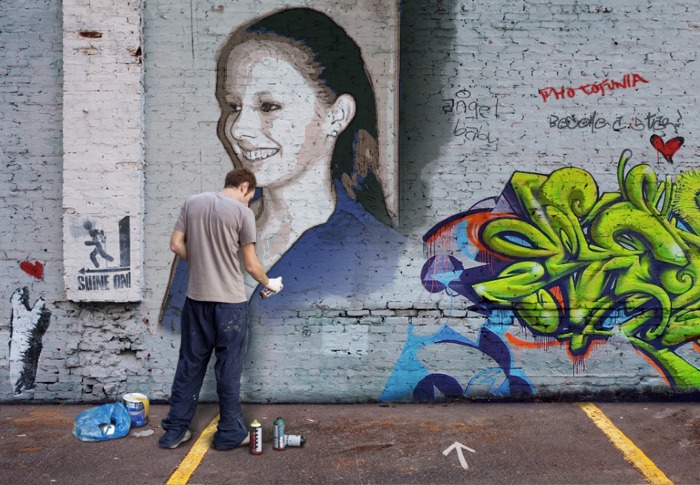
Photofunia.com Review
Photofunia.com is a really fun website to just mess around on. It doesn't take much skill and is easy to navigate. The final product is really cool. All you have to do is upload a picture and PhotoFunia will do the rest of the work for you. Some of the effects are really neat. If you are short on time and don't want to spend hours applying various effects to an image to get the desired look, PhotoFunia is a great site that can produce an impressive final product with virtually no work involved. People who are looking for something fun and easy to do should use PhotoFunia. I think this website should be put on Mrs. Burnette's webpage, but only as a fun, "messing-around" type thing to do, seeing as it doesn't really require any artistic talent or ability.
Subscribe to:
Posts (Atom)